Make Sense of Meta Muse
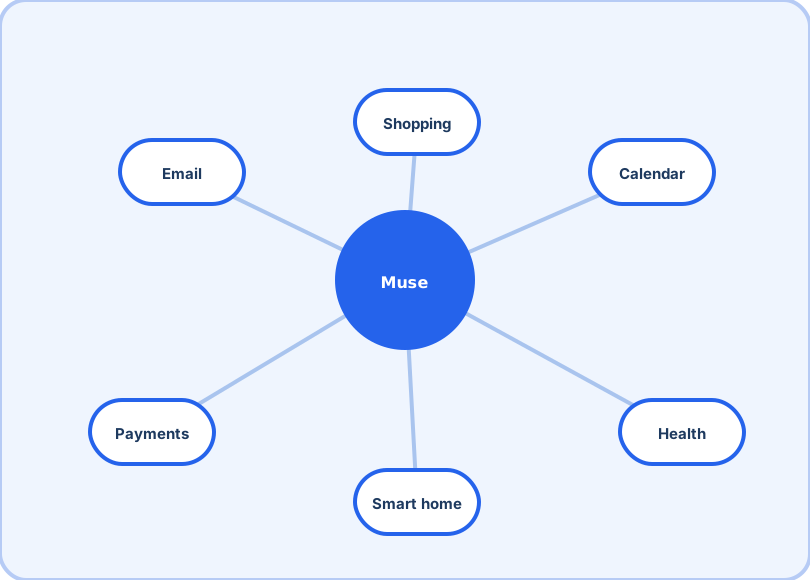
Meta's personal AI agent: give it a goal and it plans, browses and finishes the errand across your email, calendar and wallet. This guide covers getting in, picking a tier, and building trust first.
Start: download & sign up →iOS, Android, Mac and web — five minutes.The guide, by question
The one-minute version
| Question | Answer |
|---|---|
| What is it? | An agent that executes errands across six parts of your digital life — see what Muse is |
| How much? | Free (~100M tokens/week) → $20 → $100, all the same features — see pricing |
| Where does it run? | iOS, Android, muse.ai, Mac (since Sep 17), WhatsApp |
| What do I delegate first? | Scheduling, inbox triage, research — see use cases |
| How is it different from ChatGPT? | Execution vs conversation — see the comparison |
| What about Claude or Gemini? | Frontier thinkers vs a doer — see the honest scorecard |
| Anything to know before signing up? | A payment card is required even for the free tier — details in the download guide |
How we cover a fast-moving product
Muse changes monthly, and a guide that pretends otherwise is either lucky or stale. So this site works like a changelog with opinions: every page carries an as-of date; every number (prices, allowances, release dates) traces to launch reporting or Meta's own help documentation rather than to vibes; and when two sources disagree, the page says so instead of picking the friendlier one. When Meta ships something material — a new tier, a new market, a renamed feature — the affected pages get updated and re-dated within days, and comparisons are re-scored rather than quietly left to rot.
The bias underneath the whole guide is simple: an agent wired into your email and your money deserves sharper questions than a chatbot does. What does it connect to, what can it do without asking, what happens when it gets something wrong, and who pays when it does? Those questions shape every page here — from the signup walkthrough to the first-week tips — and they are the ones we would want answered before handing any assistant the keys to an inbox.