What Muse Is Good At
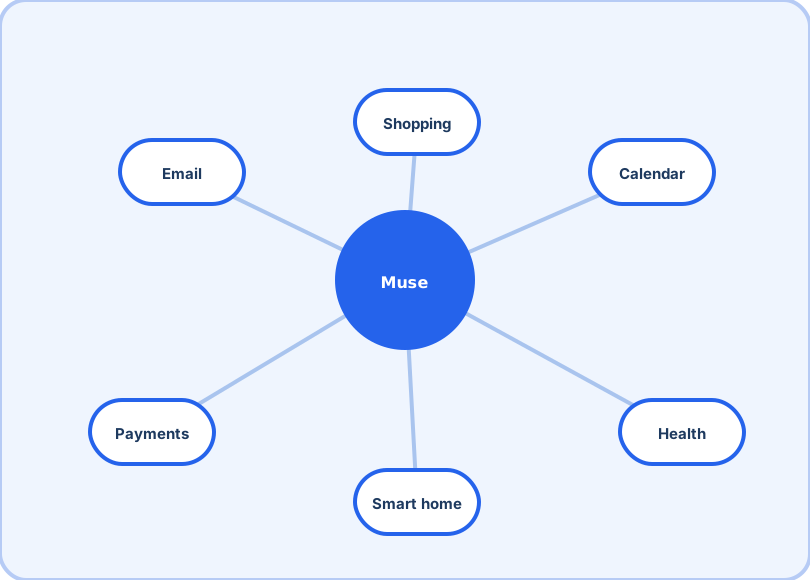
The fastest way to judge an agent is to give it real work. These nine tasks are where Muse's mix of planning, browsing and form-filling shows — start low-stakes, then widen.
The nine at a glance
| Errand | Risk | Why Muse suits it |
|---|---|---|
| Scheduling chase | None | Thread + calendar cross-reference is pure agent work |
| Inbox triage | None | Drafts wait for your approval — nothing sends itself |
| Research-to-decision | None | Browser steps, filters and comparisons, summarized |
| Renewal audit | None | Pure pattern-matching across months of receipts |
Start here (zero risk)
1. The scheduling chase. "Find a 30-minute call this week that works for everyone in this thread, book it, and add prep time." Cross-referencing threads and calendars is pure agent work.
2. Inbox triage. Morning sweep: separate the receipts, newsletters and real messages; draft replies to the real ones for your approval. You review; Muse typed.
3. Research-to-decision. "Compare three babysitting services near us with weekend availability and prices, and put it in a note." The browser step — opening pages, filling filters — is where agents beat search.
Everyday errands (small stakes)
4. The renewal audit. Sweep email for subscriptions renewing this month, list them with prices, flag the ones you forgot.
5. Grocery re-ordering. Build the list from this week's plans, compare basket prices across your usual stores.
6. Travel plumbing. Given dates and a budget: watch fares, draft options, hold choices for approval — and populate the calendar once booked.
The power tier (connect payments when ready)
7. Bill negotiation. Muse can open a browser and negotiate on your behalf, per Meta's launch description — start with a low-stakes subscription cancellation to watch the flow work.
8. The household dashboard. Weekly summary across accounts: what came in, what went out, what's due — after the September 29 small-business integrations, owners run a variant of this for their shop.
9. Smart-home routines. "When the last person leaves, set back the thermostat and arm the locks" — the sixth category earns its slot here.
What "done" should look like
Set the bar before you delegate: a finished errand means the calendar holds the event (with the right attendees and prep time), the note exists with the comparison it promised, or the draft sits in your drafts folder — not "it told me what to do". Agents earn autonomy by closing loops, and you will know Muse is working when you stop re-checking its output.
A note on trust-building
The pattern across all nine: delegate the legwork, keep the approval. Muse plans and executes; you confirm the steps that touch money or commitments. That division is exactly what the plan-review flow encourages — and it is why the first-week tips start with review settings, not power tasks.
Frequently asked questions
What should I delegate first?
Something recurring and low-stakes: "find us a 30-minute slot Thursday and send invites". You learn the plan-review flow with zero risk.
Can Muse spend money on its own?
Muse can work with payments, but treat spending as the last permission you grant. Start with research and scheduling; add purchases only after you trust how it executes.
Does it work for work email as well as personal?
Both, per connection. People commonly start with a personal inbox, then connect a work calendar — each service gets its own permission scope.