Downloading & Signing Up
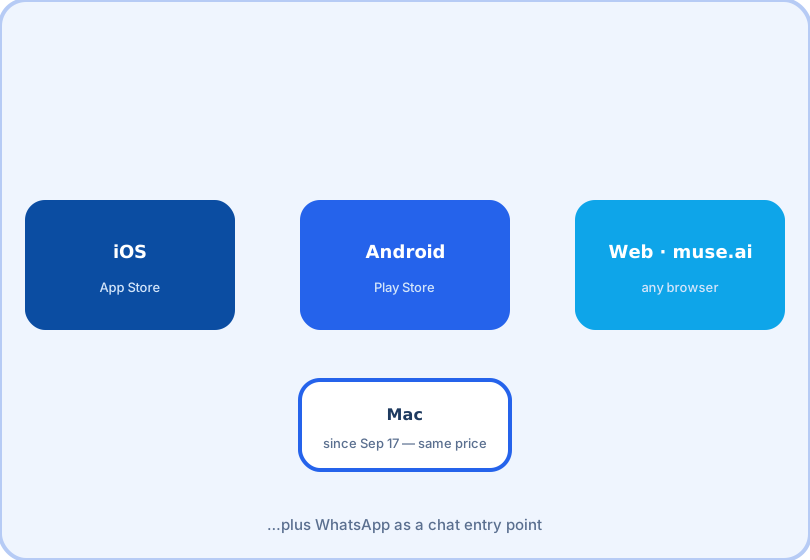
Muse ships as native apps plus a website, and setup takes about five minutes. The one surprise worth knowing before you start: even the free tier requires a payment card on file.
Where to get it
| Surface | How |
|---|---|
| iPhone / iPad | Apple App Store — search "Muse" (Meta's agent; it reached No. 1 there at launch) |
| Android | Google Play — same search; verify the publisher is Meta |
| Any browser | muse.ai — sign in and use Muse in a tab |
| Mac | Native client from Meta's site (shipped September 17, 2026) |
| Chat entry point linked to your account |
Signup, step by step
1. Install the app or open muse.ai and sign in with your Meta account.
2. Confirm you are in the US and 18 or older — this was the launch gate, enforced at signup.
3. Add a payment card. This is required even to try the free tier; Meta uses it as an age and anti-abuse verification layer. You will not be charged on the free tier.
4. Connect your first service — most people start with email and calendar. Each connection prompts a scoped permission screen; grant what you are comfortable with, and change your mind later in settings.
5. Give Muse one small, real task to start (see use cases) so you can watch how it plans and executes.
Picking a tier at signup
Start free. The tiers buy weekly headroom — Power ($20) for 500 million tokens a week, Maximum ($100) for 3 billion — and since no tier unlocks features, the correct upgrade moment is the week the free allowance starts running out mid-week, not day one. The full math is on the pricing page.
Privacy notes worth reading
An agent that can touch email, payments and health data deserves a read of the permissions you grant. Two settings matter early: per-service connection scopes (grant narrowly; widen when a task demands it) and activity controls. If the idea of an agent spending money on your behalf makes you hesitate, start with tasks that have no financial step — scheduling and research — and add payments once you trust the plan-review flow.
Frequently asked questions
Do I need a payment card to try Muse for free?
Yes — Meta requires a valid card on file before a new account can use Muse at all, even on the free tier. It serves as an age and anti-abuse check on top of the 18+ requirement.
Is Muse available outside the United States?
At launch Muse was US-only for users 18 and older. Availability has been expanding; check your app store listing for the current status.
Does the Mac app cost extra?
No. The Mac client (September 17, 2026) uses the same tiers and the same weekly allowances — the ceiling is tied to usage, not to which device you use.